illyshop
Dashcam WiFi 4K 3840x2160P — Vision Nocturne Surveillance 24H Boîte Noire
Impossible de charger la disponibilité du service de retrait
SPECIFICATIONS
Audio enregistré: Oui
Batterie: Intégré
Choice: yes
Compatibilité des applications: Viidure
Emballage d'origine: Oui
Enregistreur GPS: Extérieur
Fabricant de Chipset: NOVATEC
Fonction NightShot: Oui
Fonction d'enregistrement en boucle: Oui
Fonctionnalités spéciales: Capteur G,Zoom numérique,carte sd/mmc,Impact anti-surtension,Anti-buée,Anti-vibration,Surveillance en temps réel,Balance des blancs automatique,Large plage dynamique,fonction wifi,Moniteur de stationnement,NDR 3D
Format vidéo: TS
Images Par Seconde: 25
Interface: USB2.0,Wi-Fi,MICROSD/TF
Les piles sont-elles incluses: Non
Mode d'assemblage: Enregistreur portable
Mémoire externe maximale: 128 Go
Nom de marque: vipi
Origine: CN (Origine)
Pixels: 1200 mégaoctets
Produit chimique à haute préoccupation: Aucun
Résolution de la caméra: 3840 x 2160
Source d'énergie: Électrique filaire
Type D'article: DVR de voiture
Vitesse de lecture requise de la carte mémoire: Classe 10
Écran intégré: Non
About DVR Menu Language, this DVR operates the menu through the mobile app "Viidure."
The languages supported for operation through the "Viidure" app are:
English, Chinese, Korean, Japanese, Portuguese, Polish, Spanish, Arabic, French, German, Italian, Hebrew, Russian, Turkish, Czech, Dutch,Thai, Vietnamese, Filipino, Malay, Indonesian, and so on.
About WIFI Connection:
1. Before connecting to the DVR on the phone, it is necessary to install the WIFI connection app "Viidure APP" in advance.You can search for "Viidure" installation in the App Store or Google App Market.
2.Open the "Viidure" APP on your phone, enter the configuration mode, turn on the wifi function of the phone, follow the prompts to find the SSID wifi signal(OK***) of the DVR and enter the password(12345678) to connect;
3.After successful configuration, you can connect and operate the DVR through the "Viidure" APP.
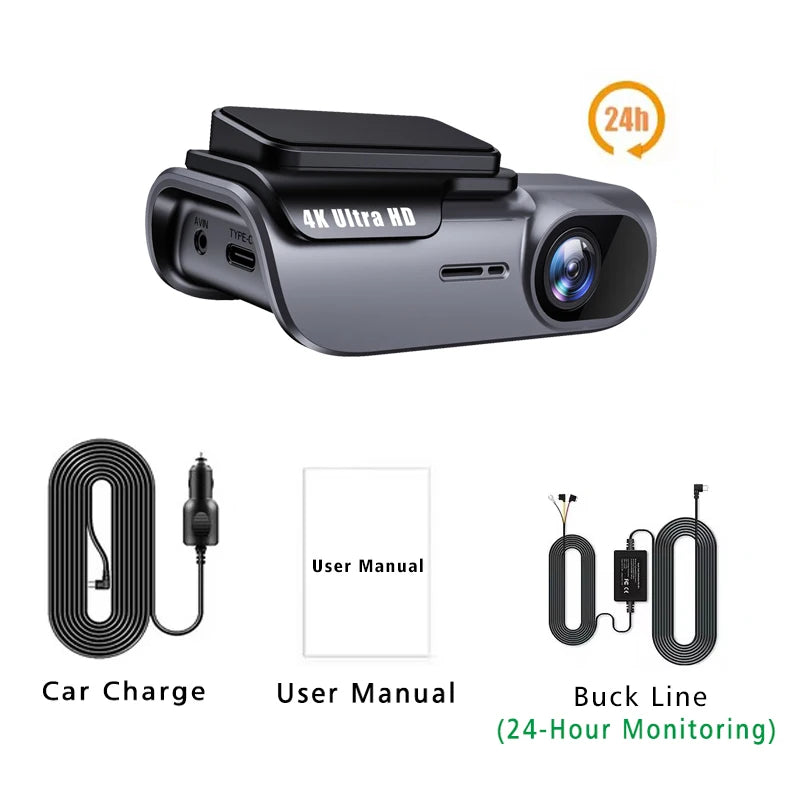
About 24-Hour Parking Monitoring:
If you need the 24 hour parking monitoring function, you can order the corresponding Buck Line accessories to replace the car charger.Through Buck Line, the DVR power can be obtained directly from the car battery or car ACC, so that the DVR can maintain normal recording work even when the car is turned off.(Since different car models have different battery interfaces or ACC interfaces, it is not recommended to install it by yourself. It is recommended to find a professional to install the Buck Line.)
Share